

Complete your order and payment in four simple steps.
- 1Choose a Product
- 2Place Your Order
- 3Keep Your Receipt
- 4Contact Support
View Purchase Instructions
- Choose a Product: Open a product page and choose the item and quantity you need.
- Place Your Order: Add it to your cart, proceed to checkout, and follow the payment instructions.
- Keep Your Receipt: After paying, keep the receipt, payment slip, or payment confirmation screen.
- Contact Support: Message Support with your order number and proof of payment.
Payment Methods
Pay at 7-Eleven with an ibon CodeEnter the payment code, print the slip, and pay at the counter.
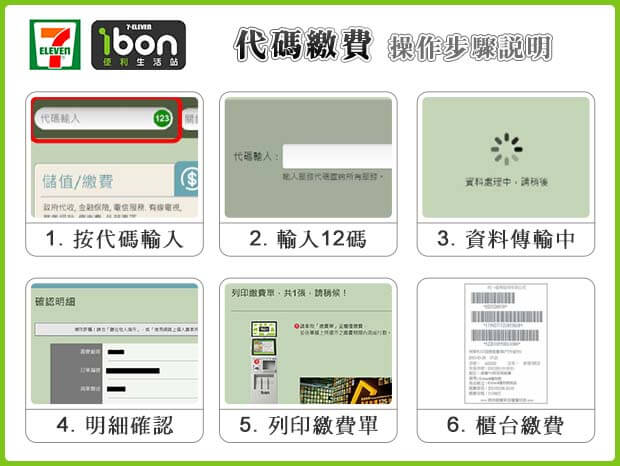
- Select Code Entry / Payment on the ibon kiosk
- Enter the 12-digit payment code from our website
- Print the payment slip and pay at the counter
View Step-by-Step Instructions: 7-Eleven ibon code payment
- On the ibon kiosk, select Code Entry or Top-Up / Payment.
- Enter the 12-digit payment code generated by our website.
- Confirm the order details and amount.
- Print the payment slip.
- Pay at the counter and keep your receipt.
Select an image to view it full size in a new tab.
Pay at FamilyMart with a FamiPort CodeEnter your payment code at a FamiPort kiosk.
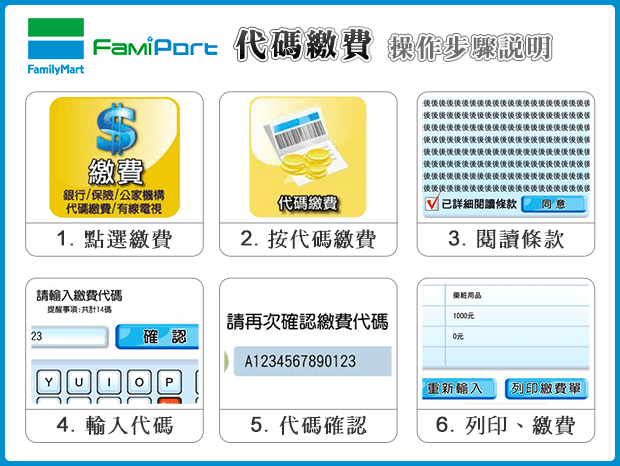
- Select Code Payment on the FamiPort kiosk
- Enter the payment code generated by our website
- Print the payment slip and pay at the counter
View Step-by-Step Instructions: FamilyMart FamiPort code payment
- Select Payment on the FamiPort kiosk.
- Select Code Payment.
- Read and accept the terms.
- Enter the payment code generated by our website.
- Confirm the code and payment amount.
- Print the slip, pay at the counter, and keep your receipt.
Select an image to view it full size in a new tab.
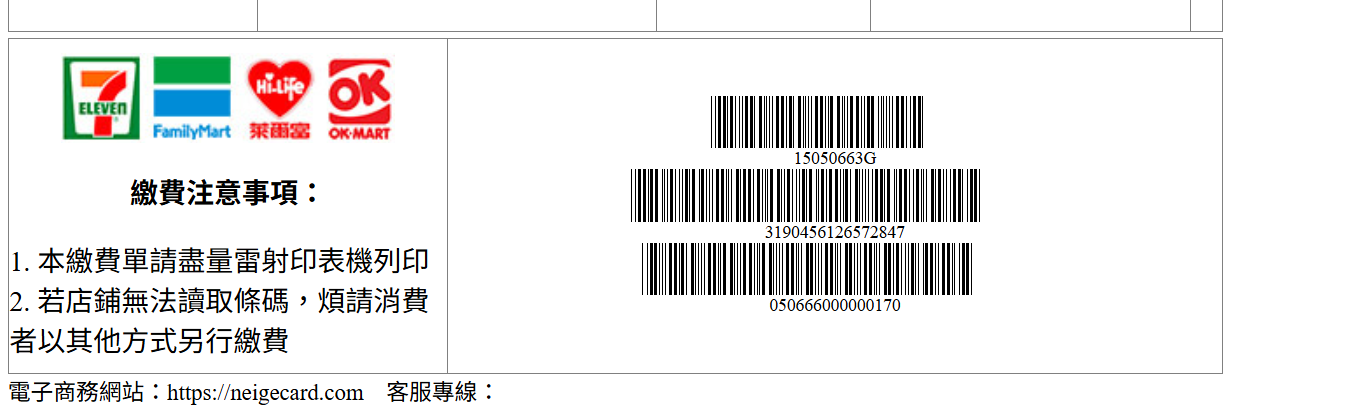
Barcode PaymentShow the barcode to pay at a convenience store counter.
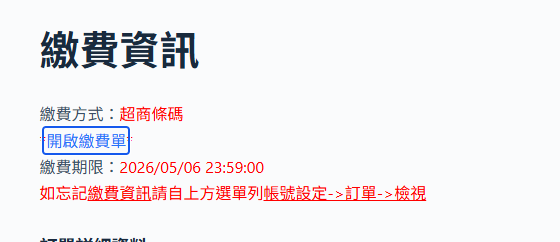
- Open the payment barcode in your order
- Show it on your phone for the cashier to scan
- Pay and keep your receipt
View Step-by-Step Instructions: Barcode payment
- Open the convenience store barcode payment details in your order.
- Show the barcode to the cashier for scanning.
- You can show the barcode on your phone; printing is optional.
- The barcode can be paid at participating convenience stores.
- After paying, keep your receipt or payment slip.
Select an image to view it full size in a new tab.
Keep your receipt or payment slip, then contact Support with your order number and proof of payment.